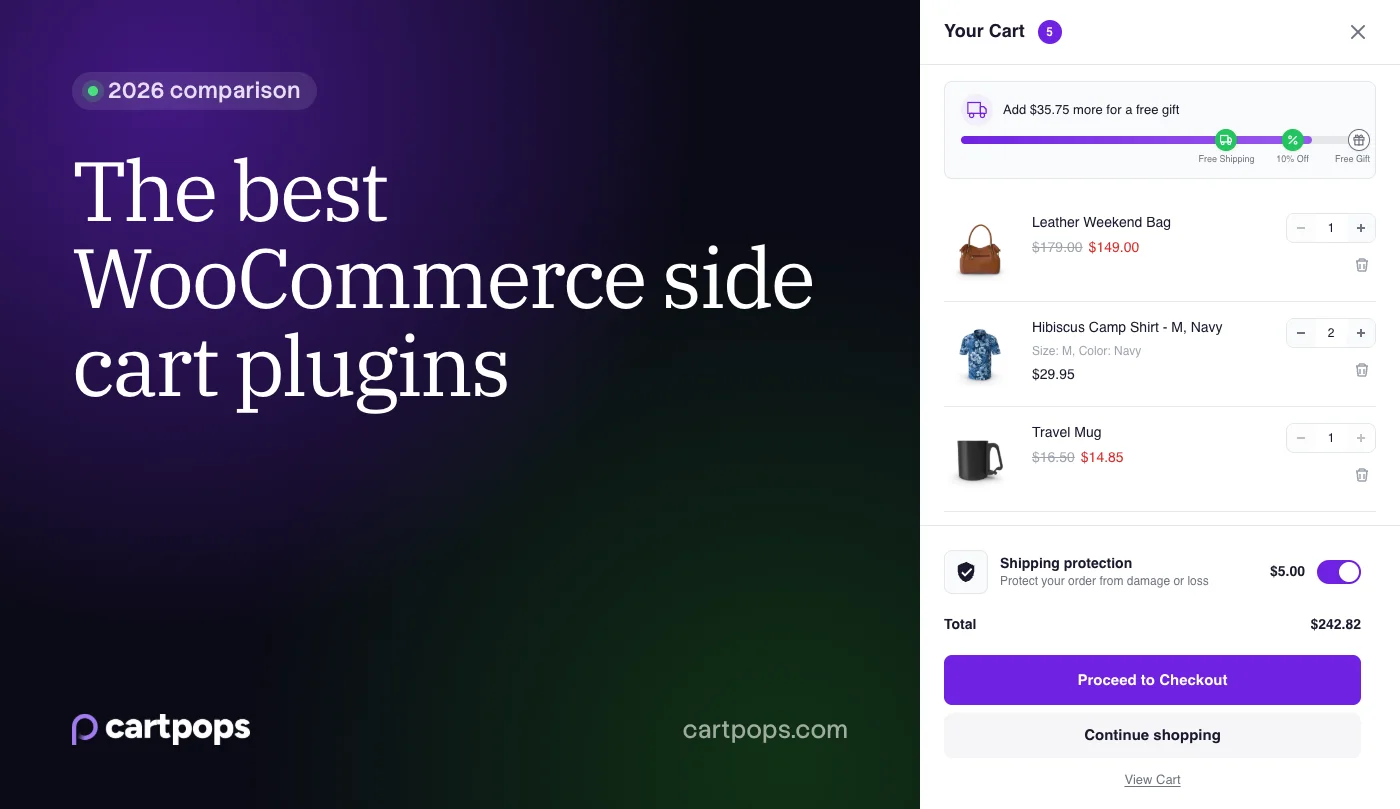
A side cart is the panel that slides in when a shopper clicks “Add to cart”. Instead of sending people to the cart page, it shows what’s in their cart, nudges them toward free shipping and puts the checkout button one tap away. That matters: about 70% of online shopping carts are abandoned, according to the Baymard Institute’s average of 50 studies.
There are a lot of side cart plugins, and they’re more different than they look. Some are a plain drawer. Others add reward tiers, bundles and analytics. Some are free forever, some only sell Pro inside a bigger suite.
We build CartPops, so we're not neutral, and we list it first. To keep this useful, we installed the free version of every plugin in the same test store and took our own screenshots. Facts about pricing and Pro features come from each plugin's WordPress.org listing, pricing page or code, checked on October 6, 2026. Spot something out of date? Email help@cartpops.com and we'll fix it.
Quick picks
- Best for growing order value: CartPops. Reward tiers, bundles, add-ons and revenue analytics in one plugin, from $49 a year.
- Most popular free side cart: Side Cart WooCommerce, with 80,000+ active installs.
- Best if you already use FunnelKit: FunnelKit Cart.
- Best free shipping bar in a free plugin: Modern Cart or Caddy.
- Cheapest one-time license: WPC Fly Cart, $29 once.
- Best for checkout inside the cart: WooCommerce Fast Cart.
How we tested
We set up one WooCommerce store and tested the free version of each plugin in it, one at a time:
- WordPress 7.1.2, WooCommerce 11.1.2 and PHP 8.3, with WooCommerce’s sample products.
- The Storefront theme (4.6.2), plus a second round on the Twenty Twenty-Five block theme.
- Default settings for every plugin. The one change we had to make: FunnelKit Cart is switched off after you install it, so we turned it on in its settings.
- In each round we added a product from a product page and one from the shop grid, on desktop and on mobile.
WooCommerce Fast Cart is premium only, so we didn’t test it hands-on. Its entry is based on Barn2’s own documentation.
Test results
| Plugin | Opens after “Add to cart” | No page reload on product pages | Opens from a block theme shop grid | Built on the Store API |
|---|---|---|---|---|
| CartPops | Yes | Yes | Yes | Yes |
| Side Cart WooCommerce | Yes | Yes | Yes | No |
| FunnelKit Cart | After you switch it on | Yes | Yes | No |
| Modern Cart | Yes | Yes | Yes | No |
| Caddy | Yes | Yes | No | Yes |
| WPC Fly Cart | After a page reload | No | No | No |
| XT Floating Cart | No, it shows a cart button | Yes | No | No |
CartPops was the only plugin that did everything on this list. It opened on every add to cart, in both themes, without a page reload or any setup. And together with Caddy, it’s one of only two plugins built on the WooCommerce Store API, the same API that powers WooCommerce’s own Cart and Checkout blocks. That keeps the side cart in sync with the cart page, the checkout and block themes.
Side cart plugins compared
Pricing, for one site. First-year prices can change, so check the vendor’s page before you buy.
| Plugin | Free version | Paid from | Lifetime option |
|---|---|---|---|
| CartPops | Yes | $49/year | $199 |
| Side Cart WooCommerce | Yes | $29 (1 year of updates) | No |
| FunnelKit Cart | Yes | $149.50 first year (Funnel Builder Pro Plus, 2 sites) | No |
| Modern Cart | Yes | $299 first year (CartFlows Suite, 30 sites) | $999 (Suite) |
| Caddy | Yes | $99/year | No |
| WPC Fly Cart | Yes | $29 once | Yes, every license |
| WooCommerce Fast Cart | No | $79/year | $349 |
| XT Floating Cart | Yes | $59/year | $199 |
Features that grow the order. “Pro” means it’s in the paid version only.
| Plugin | Shipping bar | Recommendations | Reward tiers | Bundles | Analytics |
|---|---|---|---|---|---|
| CartPops | Pro | Free | Pro | Pro | Pro |
| Side Cart WooCommerce | Pro | Pro | Pro | No | No |
| FunnelKit Cart | Pro | Pro | Pro | No | Pro |
| Modern Cart | Free | Pro | Unclear | No | No |
| Caddy | Free | Free | Pro | No | Pro |
| WPC Fly Cart | Separate plugin | Free | No | No | No |
| WooCommerce Fast Cart | No | Yes | No | No | No |
| XT Floating Cart | Pro | Pro | No | No | No |
What makes a good side cart
- It stays in sync with WooCommerce. Plugins built on the WooCommerce Store API work with the Cart and Checkout blocks and with block themes, and they don’t fall out of step with the cart page.
- It works with your theme. The drawer should look at home in your store without a pile of custom CSS.
- It grows the order. A free shipping bar, recommendations, reward tiers and bundles give shoppers a reason to add one more item.
- It shows what it earns. Without numbers, you’re guessing whether the cart pays for itself.
- The pricing fits. Some plugins sell Pro on its own, others only inside a bigger suite.
1. CartPops
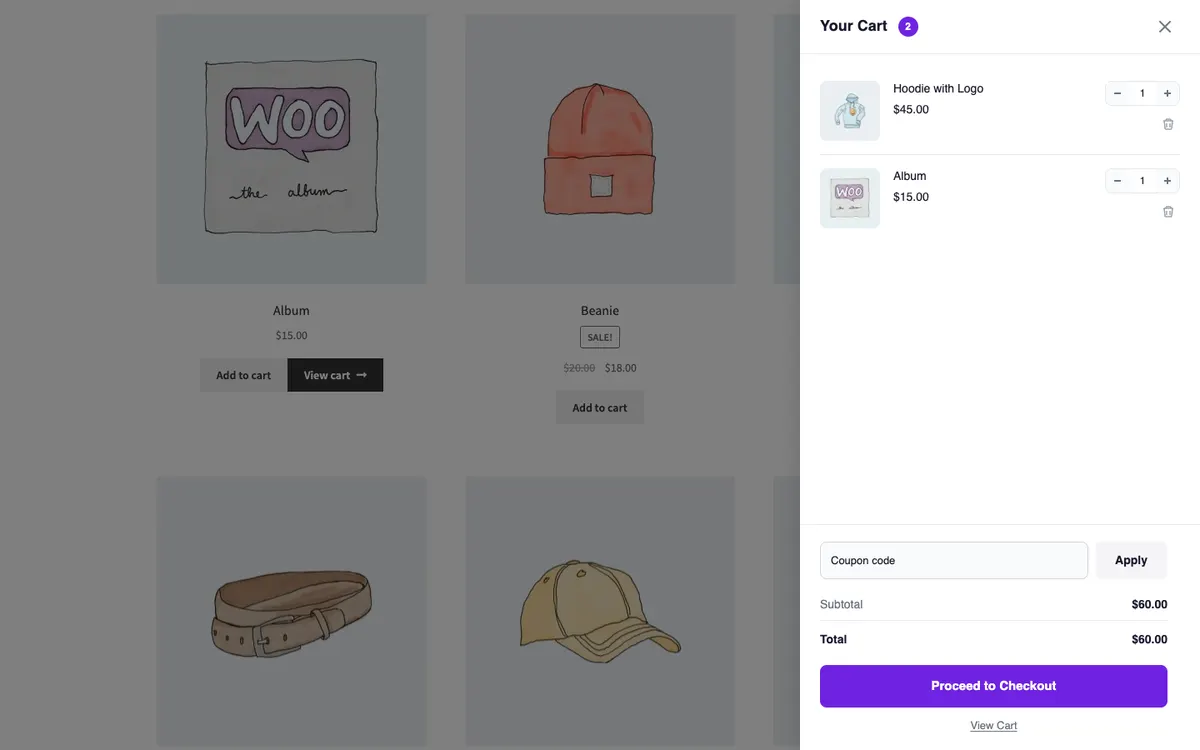
CartPops replaces the cart page with a slide-out cart drawer. Version 2.0 is rebuilt from the ground up on the WooCommerce Store API, with Cart Drawer and Cart Launcher blocks for the Site Editor built on the WordPress Interactivity API. It also renders automatically on classic themes and works with Elementor.
In our test: CartPops opened on every add to cart, from product pages and the shop grid, on Storefront and on Twenty Twenty-Five, with no page reload and no setup.
The free version on WordPress.org is a complete drawer: a launcher, coupon field, totals, design presets, dark mode and recommendations based on your cross-sells, upsells or related products. Pro adds the tools that raise order value:
- Shipping & Rewards Meter: free shipping plus up to two extra tiers with a discount or a free gift, applied automatically.
- Bundle Builder: “frequently bought together” sets under cart items, with an optional bundle discount. It’s the only native bundle feature among the plugins in this list.
- Smart Add-ons: one-toggle extras like shipping protection, charged as a WooCommerce fee.
- Smart Bar: a cart timer, a message or a product spotlight at the top of the drawer, shown by rules you set.
- Conversion analytics: drawer opens, checkout starts and the revenue each CartPops feature brings in.
Best for: stores that want the cart to raise average order value, and want the numbers to prove it.
Pricing: free on WordPress.org. Pro is $49 a year for one site, $4.90 a month or $199 once, with plans up to 100 sites and a 14 day money back guarantee. See all features and pricing.
Limitations: the free shipping meter is Pro only. CartPops 2.0 needs PHP 8.3+, WordPress 6.5+ and WooCommerce 9.0+, so older hosting can’t run it. With 4,000+ active installs, it has a smaller user base than the biggest free options.
You can try the real drawer in our live demo.
2. Side Cart WooCommerce by XootiX
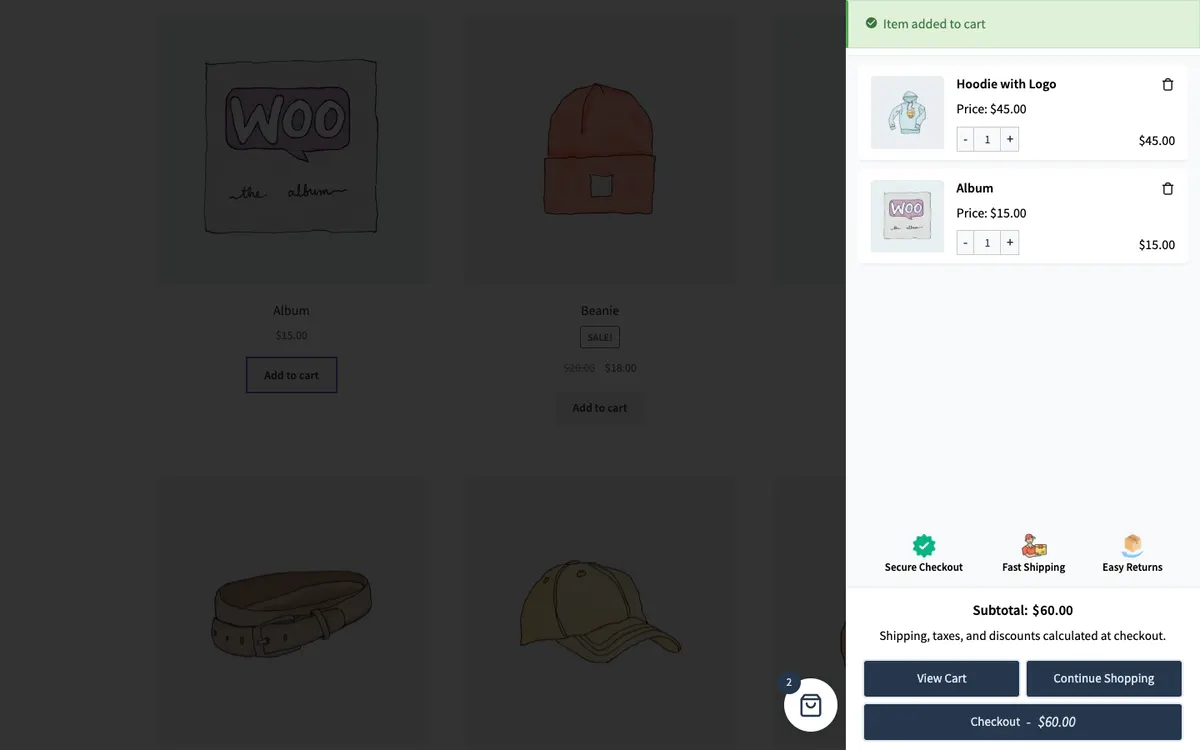
Side Cart WooCommerce is the most installed side cart on WordPress.org, with 80,000+ active installs and a 4.9 rating from more than 450 reviews. Reviewers often mention fast support from the developer.
In our test: the drawer opened on every add to cart without a page reload, in both themes.
The free version adds a slide-out cart with AJAX add, update and remove, plus a floating basket icon. Coupons, the shipping bar, upsells and cross-sells, a shipping calculator and multiple progress bars for free gifts, discounts and free shipping are in Pro.
Best for: stores that want a proven, simple drawer and may add Pro later.
Pricing: free, or $29 for one site with a year of updates ($89 for 5 sites, $139 unlimited). The plugin keeps working if you don’t renew.
Limitations: the free version is a plain drawer without a coupon field. There are no native bundles or analytics, and cart actions use classic WooCommerce AJAX rather than the Store API.
Read the full comparison: CartPops vs Side Cart WooCommerce.
3. FunnelKit Cart
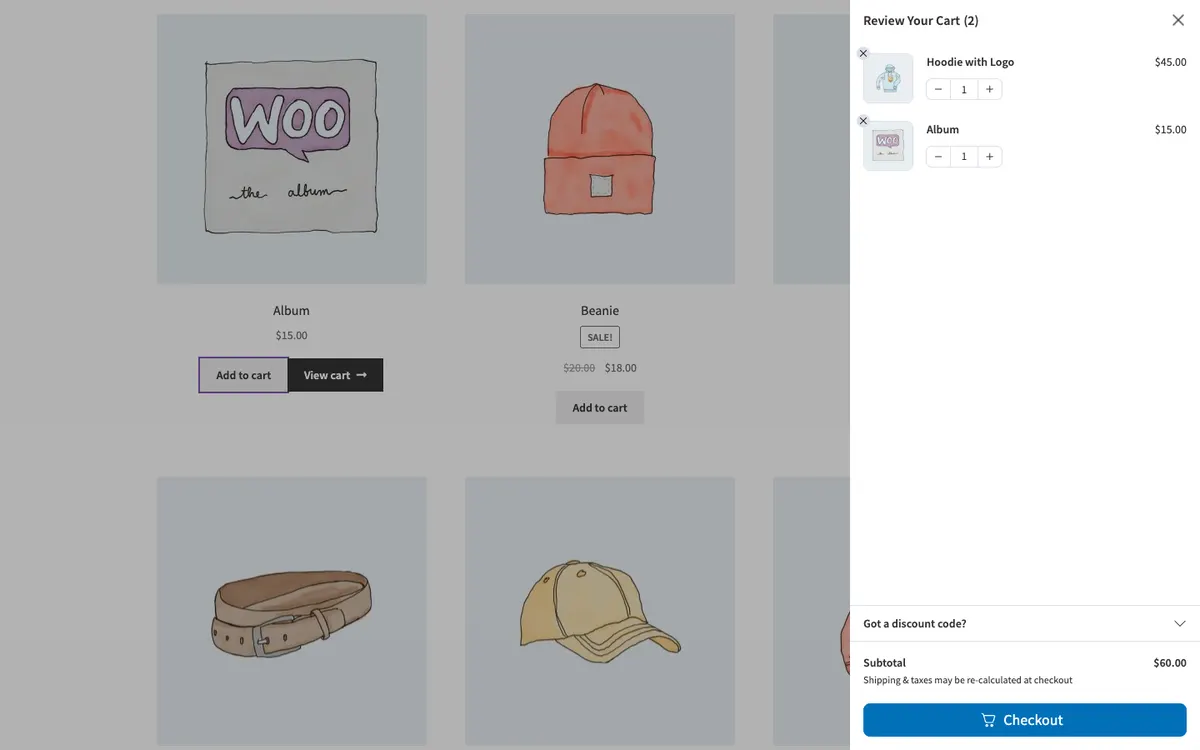
FunnelKit Cart, listed on WordPress.org as Sliding Cart for WooCommerce by FunnelKit, has 30,000+ active installs. The free version includes a coupon field and express checkout buttons in the cart.
In our test: the cart was switched off after installing. Once we turned it on in its settings, it opened on every add to cart without a page reload.
Pro adds reward milestones for free shipping, gifts and discounts, in-cart upsells, add-ons like shipping protection and gift wrap, and cart analytics.
Best for: stores that already use FunnelKit for funnels and checkout.
Pricing: the cart’s Pro features come with Funnel Builder Pro on the Plus plan: $149.50 for the first year, then $299 a year, for 2 sites. The Basic plan doesn’t include them.
Limitations: there’s no standalone Pro for the cart, so it’s a bigger purchase if you only want a side cart.
Read the full comparison: CartPops vs FunnelKit Cart.
4. Modern Cart
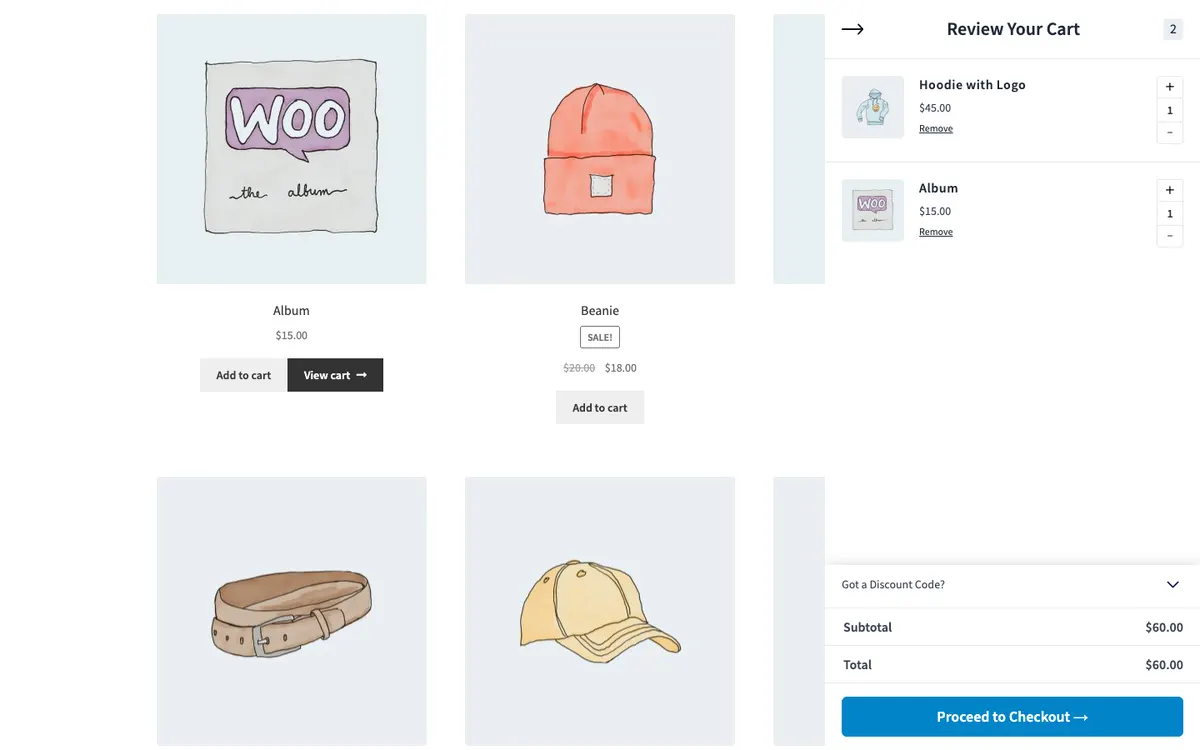
Modern Cart comes from the team behind CartFlows. It’s new (on WordPress.org since September 2025) but already has 60,000+ active installs.
In our test: it opened on every add to cart without a page reload, in both themes.
The free version is generous: slide-out and popup modes, a coupon form and a free shipping bar tied to WooCommerce’s Free Shipping method. In-cart recommendations are in Pro. The WordPress.org page also mentions reward tiers for gifts and discounts, but we couldn’t confirm how those work, which is why the table says “Unclear”.
Best for: stores that want a free drawer with a shipping bar and coupons included.
Pricing: free. Pro is only sold inside the CartFlows Suite: $299 for the first year (then $449 a year) for up to 30 sites, or $999 once.
Limitations: recommendations need Pro, and Pro means buying the whole suite. There’s no analytics dashboard, and it has a short track record.
5. Caddy
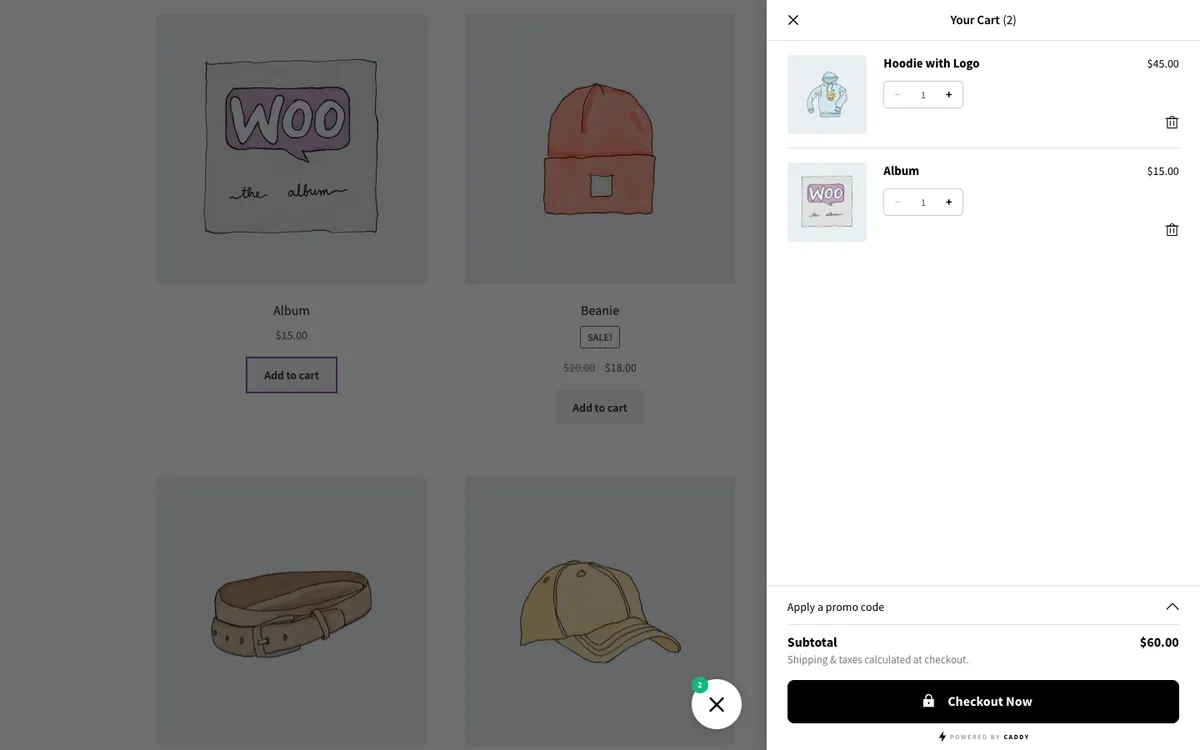
Caddy by Tribe Interactive has 3,000+ active installs. Version 3 is built on the WooCommerce Store API and the WordPress Interactivity API, without jQuery.
In our test: Caddy opened on every add to cart on Storefront. On the Twenty Twenty-Five block theme, it opened from product pages but not when we added a product from the shop grid (we checked three times).
The free tier already includes a shipping bar, recommendations, a coupon field and save for later. Pro adds multi-tier rewards, rule-based recommendations and a cart analytics dashboard.
Best for: stores that want a free shipping bar in the free version and a modern codebase.
Pricing: free, or $99 a year for one site ($199 for 5 sites, $399 unlimited). There’s no lifetime option.
Limitations: Pro costs twice as much as CartPops Pro for a single site, and there’s no native bundle feature.
Read the full comparison: CartPops vs Caddy.
6. WPC Fly Cart for WooCommerce
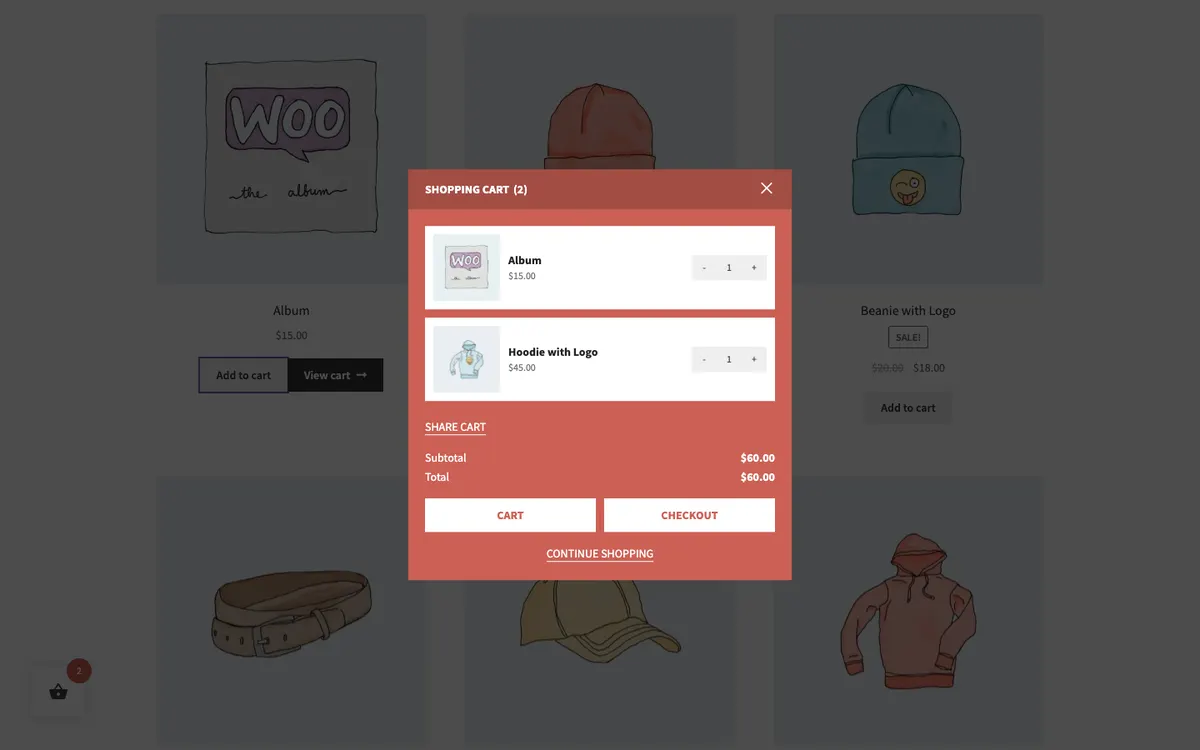
WPC Fly Cart by WPClever has 10,000+ active installs. The free version shows suggested products from related products, cross-sells and upsells, with more than 16 bubble icons for the launcher.
In our test: adding from a product page reloaded the page before the cart opened as a popup in the middle of the screen. On Storefront, adding from the shop grid opened it without a reload. On Twenty Twenty-Five, it didn’t open from the shop grid.
Coupons, shipping calculation and instant checkout are premium. For a shipping bar, you install WPClever’s separate free WPC Free Shipping Bar plugin.
Best for: small budgets that prefer to pay once.
Pricing: free, or $29 once for one site with lifetime updates and a year of support ($59 for 5 sites, $99 unlimited).
Limitations: no reward tiers, bundles or analytics, and styling options are basic, so matching your brand can take custom CSS.
7. WooCommerce Fast Cart by Barn2
WooCommerce Fast Cart is premium only, so it’s the one plugin we didn’t test hands-on. Its standout feature: the full WooCommerce checkout runs inside the popup or side cart, so customers can skip the cart and checkout pages entirely.
It shows cross-sells in a “You may also like” section and a coupon field, and Barn2 says it’s fully compatible with the block cart and checkout.
Best for: stores that want checkout to happen inside the cart.
Pricing: $79 a year for one site ($129 for 5, $229 for 50), or $349 once. There’s a 30 day money back guarantee.
Limitations: no free version. There’s no built-in shipping bar (Barn2 suggests a separate plugin) and no reward tiers.
8. XT Floating Cart for WooCommerce
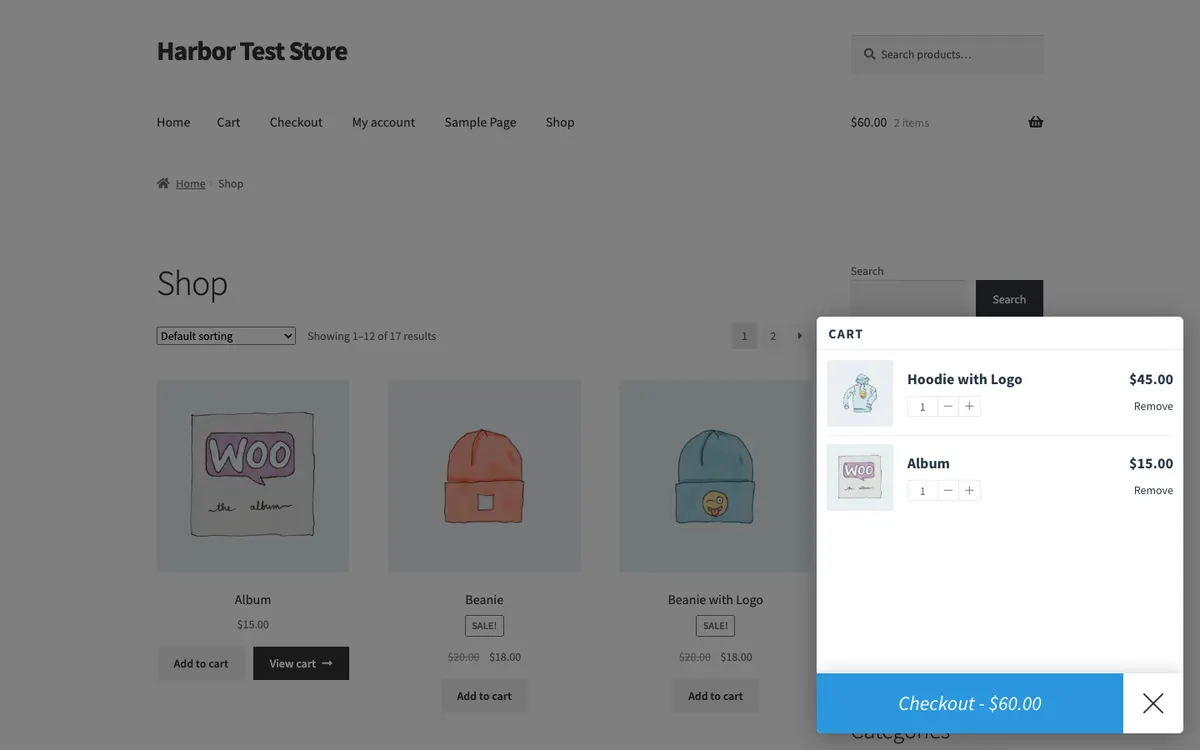
XT Floating Cart by XplodedThemes has been maintained since 2016 and has 4,000+ active installs.
In our test: the cart didn’t open by itself after adding a product. A floating button showed the item count, and the cart opened when we clicked it.
The free version covers the basics: add, update, remove and undo. Coupons, cart totals, the shipping bar and product suggestions are premium, along with a Customizer with live preview.
Best for: stores that want a floating cart button rather than a drawer that opens by itself.
Pricing: free, or $59 a year for one site ($109 for 3, $329 for 30). Lifetime is $199 for one site.
Limitations: the free version is minimal, and there are no reward tiers or analytics.
Also considered
Addonify Floating Cart is completely free, including coupons, a shipping calculator and a shipping meter. We left it out of the main list because the last release was in December 2025 and its own FAQ says it might not work as expected with WooCommerce blocks.
How to choose
- Choose CartPops if you want reward tiers, bundles, add-ons and revenue analytics in one plugin, at $49 a year, built on the Store API.
- Choose Side Cart WooCommerce if you want the most proven free drawer.
- Choose FunnelKit Cart if you already pay for FunnelKit.
- Choose Modern Cart or Caddy if a free shipping bar in the free version matters most.
- Choose WPC Fly Cart if you’d rather pay once and keep it simple.
- Choose Fast Cart if you want customers to check out without leaving the cart.
Whichever you pick, test it with your own theme and a real order before you switch it on for every visitor. Or try CartPops in our live demo first.
Changelog
- October 6, 2026: first published, with hands-on tests of seven plugins in the same store.
Frequently asked questions
What is a WooCommerce side cart?
A side cart, also called a cart drawer, fly-out cart or slide-out cart, is a panel that slides in from the edge of the screen when a shopper adds a product. It shows the cart contents, the total and a checkout button without loading the cart page, so the shopper can keep browsing or check out right away.
What's the difference between a side cart, a mini cart and a floating cart?
They're mostly names for the same idea. A side cart or cart drawer slides in from the edge of the screen. A mini cart usually drops down from the cart icon in the header. A floating cart is a button that stays on screen and opens the cart. Most side cart plugins, including CartPops, combine a drawer with a floating button.
Does WooCommerce have a side cart built in?
WooCommerce ships a Mini-Cart block for block themes that opens a simple drawer. It doesn't include a free shipping bar, recommendations or rewards, so stores that want those use a side cart plugin.
Is there a free WooCommerce side cart plugin?
Yes. CartPops, Side Cart WooCommerce, FunnelKit Cart, Modern Cart, Caddy, WPC Fly Cart and XT Floating Cart all have a free version on WordPress.org. WooCommerce Fast Cart by Barn2 is paid only.
Which side cart plugins work with the WooCommerce Cart and Checkout blocks?
CartPops and Caddy are the only plugins in our test built on the WooCommerce Store API, the same API that powers the Cart and Checkout blocks. Barn2 says Fast Cart is compatible with the block cart and checkout as well. The other plugins use classic AJAX for cart actions.
Can I switch side cart plugins later?
Yes. A side cart only changes how the cart is shown, so your products, orders and customers stay where they are. Deactivate the old plugin, activate the new one and set up its options again, such as reward tiers or recommendations.
Will a side cart slow down my store?
A well-built side cart loads a small script and updates the cart without a full page load, so shopping often feels faster than with the cart page. Check that the plugin only loads its files where they're needed, and test it with your theme. CartPops only loads its CSS and JavaScript on pages that need them.
Which WooCommerce side cart plugin is the best?
It depends on what you need. For the most order value tools in one plugin (reward tiers, bundles, add-ons and analytics), pick CartPops. For the most popular free drawer, pick Side Cart WooCommerce. If you already run FunnelKit, pick FunnelKit Cart.